A report that goes to many people sooner or later reaches someone who no longer wants it: a colleague who changed teams, a customer whose contract ended, an address that was added by mistake. Until now their only options were to reply, or to mark the report as spam, which blocks the address for every report your workspace sends (see Email Deliverability).
Report unsubscribe gives them a way out that costs you nothing. With the option on, every email of a report carries a link to a page where the recipient removes their own address from that one report. The next run skips the address, the block shows you who opted out, and a workspace admin can undo it.
Turning it on
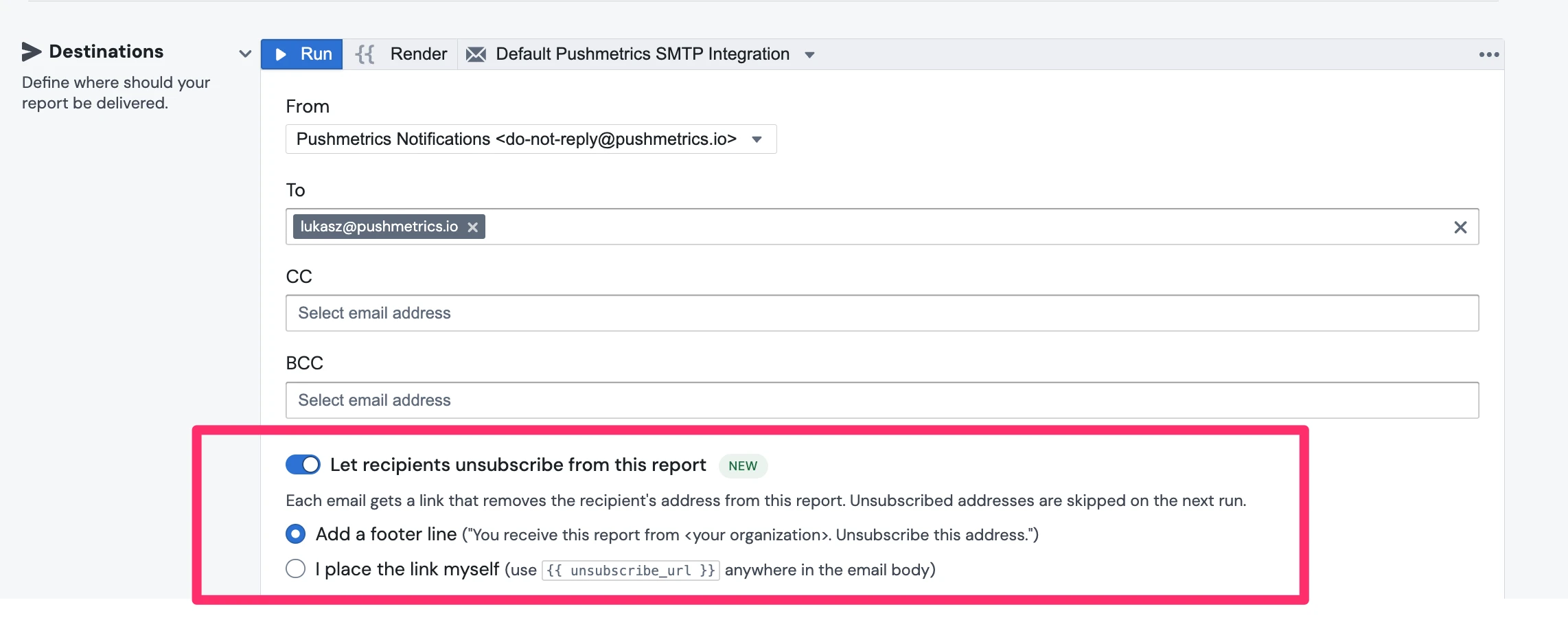
The option lives on the Email destination of a report, and on the Email block of a Noteflow, under the recipients. It is off for every block until you turn it on.
- Open the report and scroll to the Email destination.
- Turn on Let recipients unsubscribe from this report.
- Choose where the link goes:
- Add a footer line: PushMetrics appends "You receive this report from <your organization>. Unsubscribe this address." under your content.
- I place the link myself: write
{{ unsubscribe_url }}anywhere in the email body, for example<a href="{{ unsubscribe_url }}">Stop receiving this report</a>. In a mail merge over recipients, each row also carries its own link as{{ row.unsubscribe_url }}.
Save, and the next run sends the link.
What the recipient sees
The link opens a small page on your workspace's behalf. It names the report and shows the address with most characters hidden, never the full address, never other recipients. One click unsubscribes; a second button undoes it right away in case of a mistake.
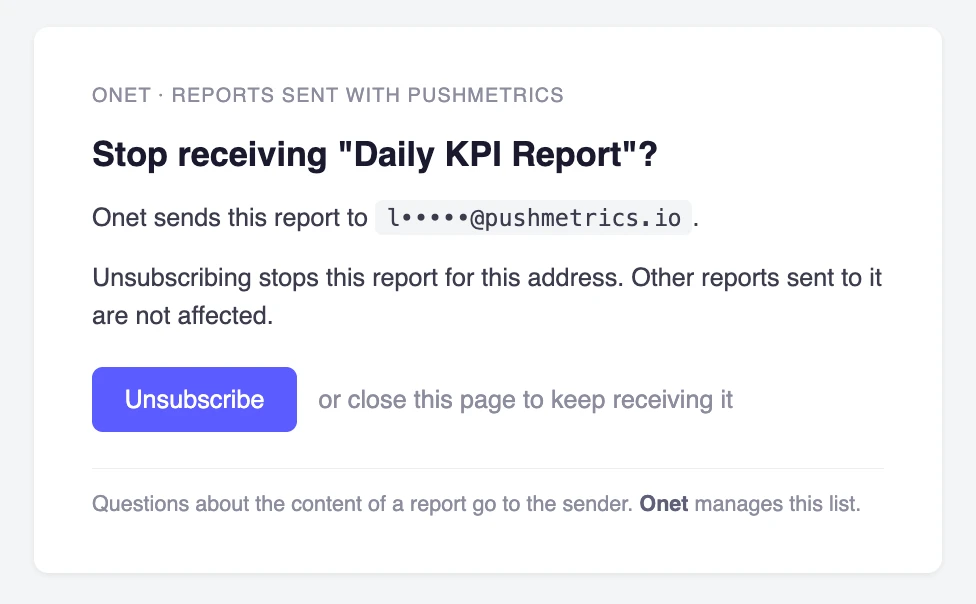
When an email goes to exactly one address, the message also carries the List-Unsubscribe header, so Gmail, Outlook and Apple Mail show their own Unsubscribe control next to the sender. Clicking that works the same way as the link.
When an email goes to several addresses, they all share one link, and the page asks the visitor which address to remove. The page answers the same way whether or not the typed address was among the recipients, so nobody can use it to find out who else receives the report.
Only addresses that are recipients in your workspace can unsubscribe, because the opt-out is recorded against that recipient. An address typed straight into the To field without being a recipient gets no link; add it as a recipient first if you want it to have one.
What you see
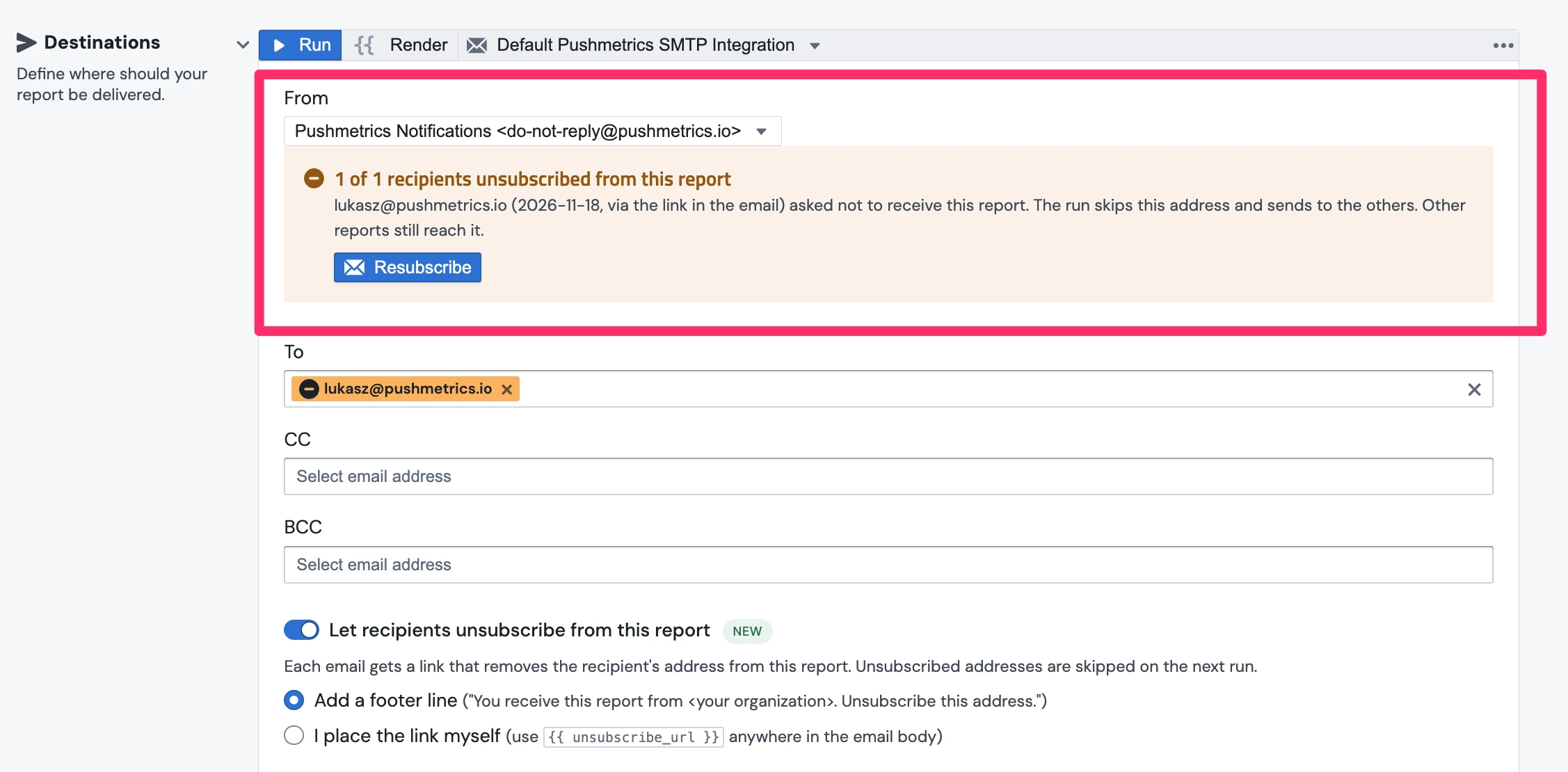
In the Email block. When some of the addresses in To, CC or BCC opted out of this report, a notice above the recipients says so: "1 of 2 recipients unsubscribed from this report", with each address, the date and whether it came through the link or a mail client. The address chip itself is marked too. The run skips those addresses and sends to the others; the run log lists them as skipped. The notice shows whether or not the option is currently on, because an opt-out stays recorded until someone resubscribes the address.
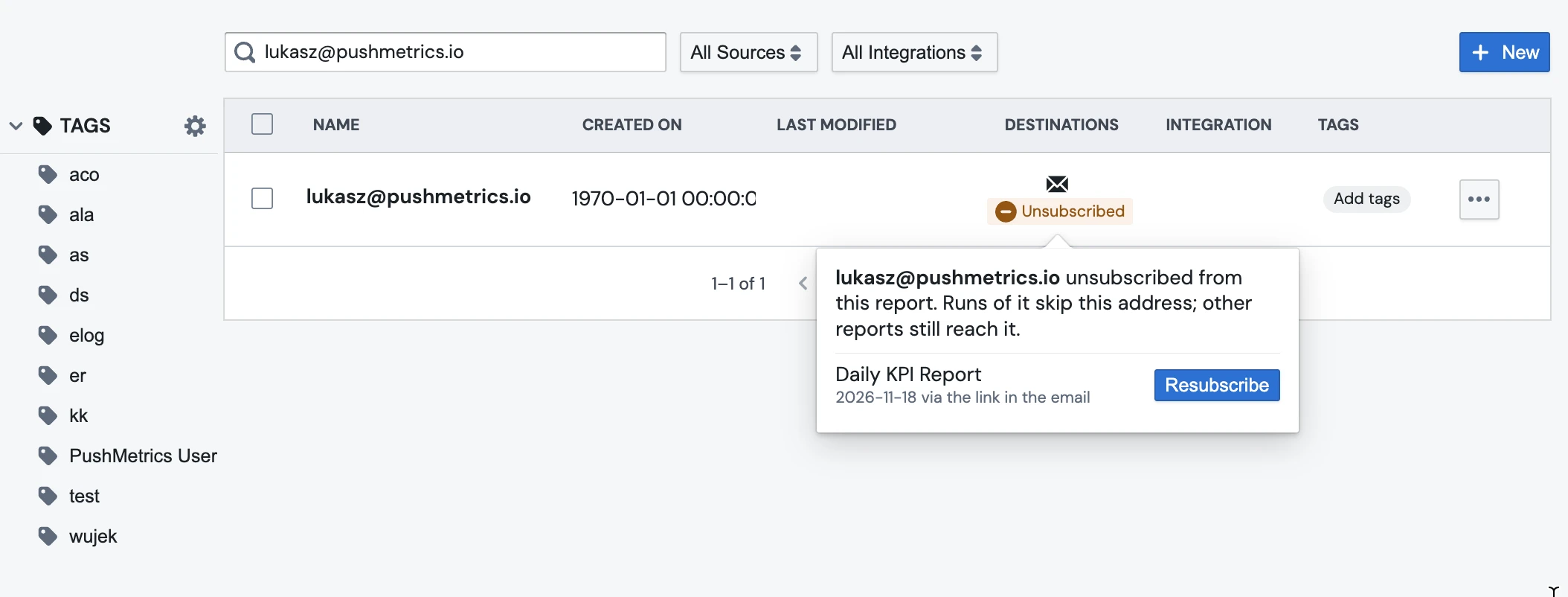
Under Admin → Recipients. An email destination with opt-outs shows an Unsubscribed tag. Open it to see the reports and dates. Opt-outs are per report: an address that left your weekly digest still receives your monthly review.
Resubscribing
A workspace admin can resubscribe an address, in the Email block notice or from the Unsubscribed tag under Recipients. It is the same rule as unblocking a bounced address: it overrides a choice the recipient made, so it is logged with the admin's name. Members see who opted out but are asked to remove the address from the report, or to ask an admin.
The recipient can also resubscribe themselves on the same page, as long as they still have the email with the link.
Good to know
- Opt-outs are recorded per address and report. Other reports to the same address, and other destinations of the same recipient (a Slack channel, for example), are not affected.
- An email that is already on its way when someone unsubscribes may still arrive once.
- Replies to the report email still reach whatever reply-to address the report uses; the unsubscribe page is separate from that.
- The link is signed and cannot be edited into another address or report. It does not expire, so a recipient can use an old email to opt out.