Send Power BI Reports By Email & Slack On A Schedule

Export Power BI reports and pages as PDF, PowerPoint, or PNG, filter them per recipient, and deliver them to your team & customers automatically.

Start Free Trial
Power BI export block in PushMetrics
Send to Anyone

Reach People Without Power BI

Deliver Power BI reports to anyone, even without a Power BI license.

Personalized Reports

Personalize Every Report

Filter each export for its recipient, region, or customer.

Save Time & Money

Save Time & Money

Stop exporting and emailing Power BI reports by hand.

Proudly supporting data-driven decisions at

Power BI

Deliver Power BI Exports To All Your Business Stakeholders

Build flexible Power BI distribution workflows with ease.

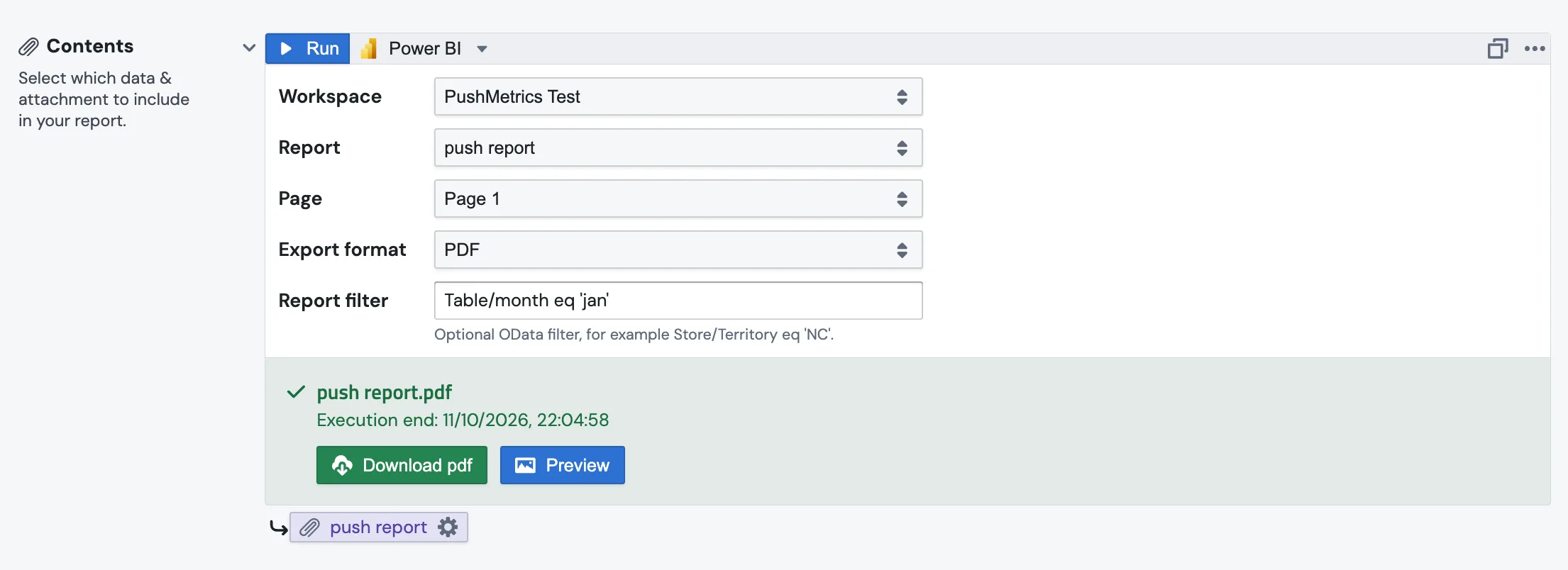
Power BI export result

Export Reports & Pages In Various Formats

Export a whole report or a single page as PDF, PowerPoint, or PNG. Paginated reports can also be exported as Excel, Word, CSV, and more.

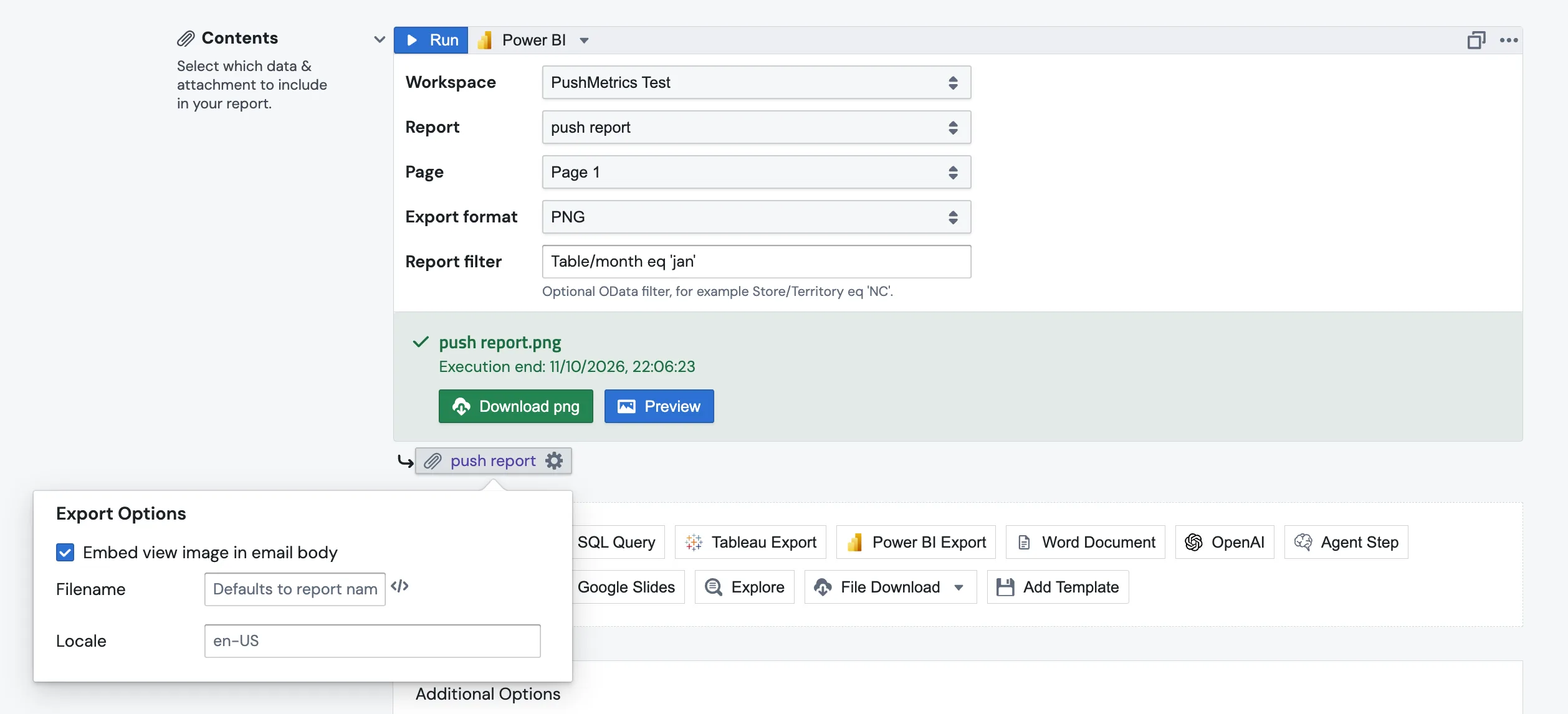
Embed a Power BI page in the email body

Show A Report Page Right In The Email

Embed a Power BI page as an image in the email body, so recipients see the numbers without opening an attachment. Or attach the full report as a PDF or PowerPoint file.

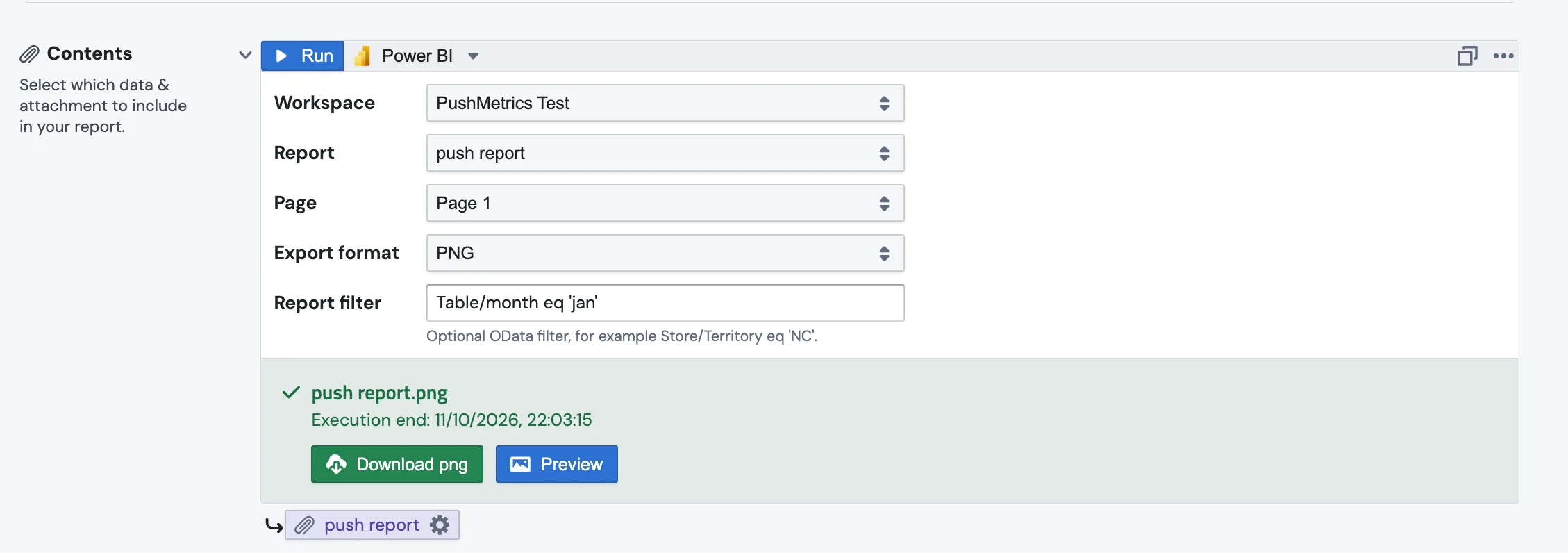
Power BI report filter

Filter Each Export

Pass a Power BI report filter to export exactly the data each recipient should see, e.g. one region or one customer. Filters can be dynamic, so one workflow serves many recipients.

Slack

Deliver to Slack & Cloud Storage

Post Power BI exports to Slack, or upload them to S3, Google Drive, SFTP, and other file destinations.

Mail Merge

Create Mail-Merge Burst Reports

Iterate over a list of recipients and send each one a personalized message with their own filtered Power BI export.

Email

Craft Personalized Emails

Send emails to your team and customers that are worth paying attention to. Include files & attachments, bring your own branded email templates, and personalize each message.

Schedule Options

Flexible Scheduling Options

Set up any scheduling interval you need, even multiple schedules per workflow.

Webhook Trigger

Event-based Triggers

Trigger workflow runs via webhooks and run them when a specific event happens.

Error Handling

Error Handling & Monitoring

Set up notifications to monitor successful and failed workflow runs.

HOW IT WORKS

Set up your first Power BI workflow in minutes

No Power BI user has to stay signed in: PushMetrics connects with a Microsoft Entra app, so scheduled exports keep running.

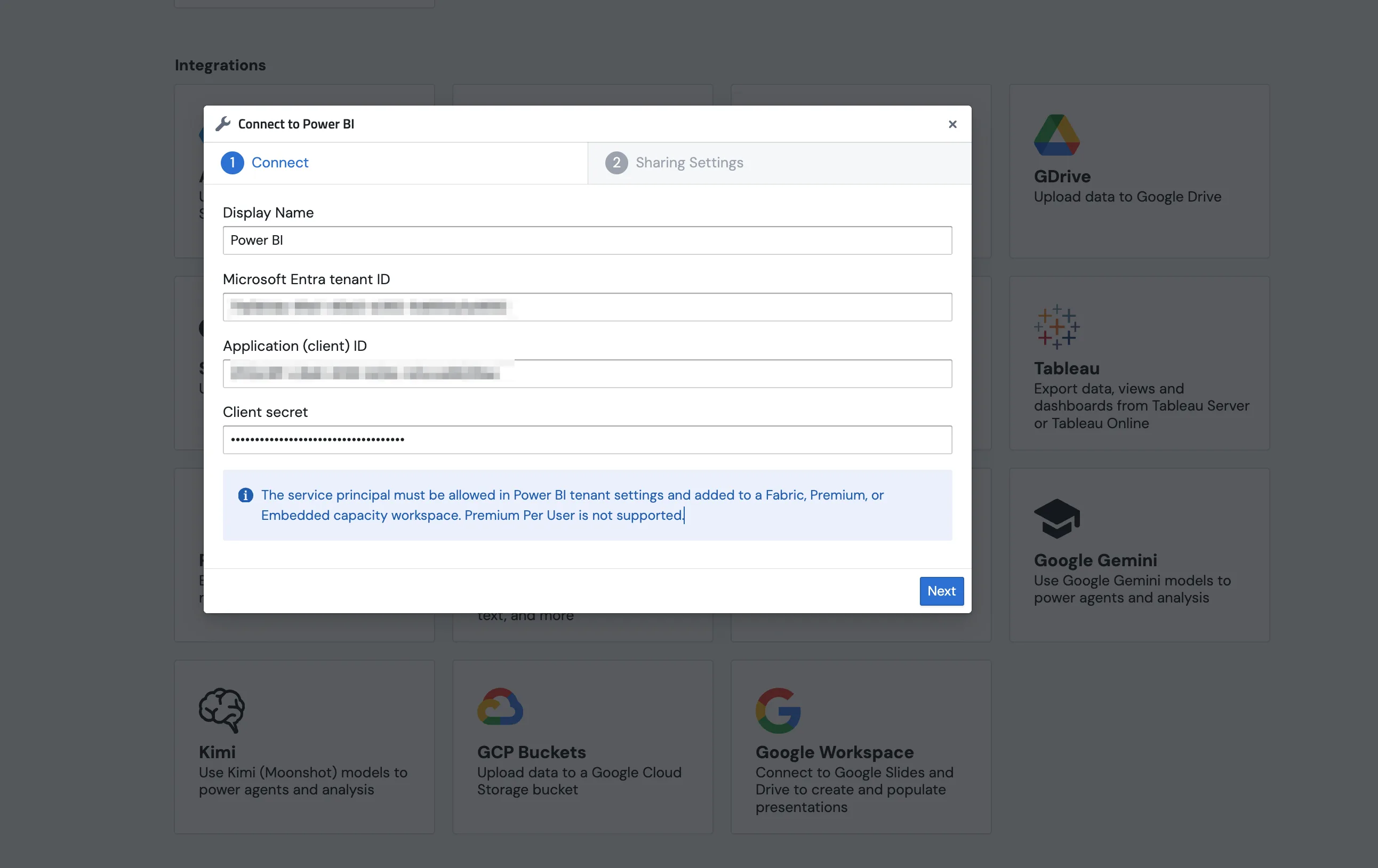
Connect Power BI

Register an app in Microsoft Entra, give it access to your Power BI workspace, and enter its tenant ID, client ID, and secret in PushMetrics. See the setup guide.

Pick your report

Choose the workspace, report, page, and format, add a filter, and write the message that goes with it.

Schedule & set it live.

Set up a schedule for your report and activate it. That's it. You're done.

Connect Power BI in PushMetrics

What you need

Power BI exports require a workspace on Microsoft Fabric, Power BI Premium, or Power BI Embedded capacity. Premium Per User (PPU) and Pro-only workspaces are not supported by Microsoft's export API. Read the Power BI Export docs.

Trusted by great data teams at

"We have more people than ever interacting with and looking at our data. As a result, we're seeing more informed decisions being made company-wide."

Healthcare.com

"PushMetrics has been a real game changer for us. Alerts pushed into specific Slack channels allow us to identify potential issues and their causes faster than we were ever able to before."

Zageno

"Working with Pushmetrics has made it so much easier for the whole company to use data. Every morning we receive our dashboards in dedicated slack channels - making reporting much more efficient for us."

Adikteev

"As more people have been seeing some of the data for the first time there is a lot of 'oh wow' and 'I had no idea that...'"

Mr Delivery

Start Automating Power BI Reports Today

Sign up to begin your free trial.
Or schedule a demo to discuss your use case.