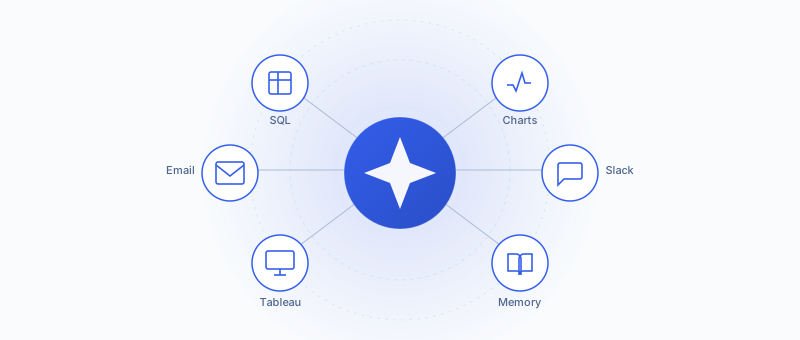
An AI Agent is a chat-based assistant that lives inside PushMetrics. Ask it a question in plain English and it does the work: writes the SQL, builds the chart, drafts the email, posts to Slack, exports the Tableau view, runs the report. If you can do it by clicking around in PushMetrics, an agent can do it for you in a chat.
The thing that makes agents different from regular automations: there's no flow to build, no triggers to wire up. You say what you want. The agent figures out which tools to use and gets on with it.
What can agents do?
Ask a question, get a result table back. The agent writes the SQL, you don't.
Turn the numbers into a Plotly chart you can hover, zoom, and share.
Draft and send emails to the right people, with tables, charts, and CSV attachments.
Drop updates, alerts, and reports straight into a channel or thread.
Find the workbook, apply filters, and export the view as PDF, image, CSV, or Excel.
Keep notes between conversations, follow your team's playbooks, get sharper over time.
How it works
The agent only ever uses the databases, integrations, and contacts you already have in PushMetrics. Workspace admins decide which of those each agent is allowed to touch.
You watch it happen. The SQL gets written in front of you, the chart appears as the data lands, and the message ships when the agent is happy with the draft.
Where you can talk to an agent
You don't have to be in PushMetrics to use one. The same agent works from a handful of places, and every conversation is saved, so you can pick it up later.
Stays inside the lines
Agents are powerful, which is why PushMetrics gives you a few knobs to keep them in check.
If a single chat blows past your dollar limit, it stops. No runaway bills.
Set a rolling 30-day cap. Hit it and the agent stops taking new requests until older spend ages out.
You pick which tools each agent gets. If it's not switched on, the agent can't reach for it.
Every message, tool call, and result lives with the conversation. Nothing happens off the record.
Getting started
Ready to build your own? Head to Configuring Agents.
A quick glossary
A handful of terms that come up everywhere in these docs: