Connecting to Snowflake
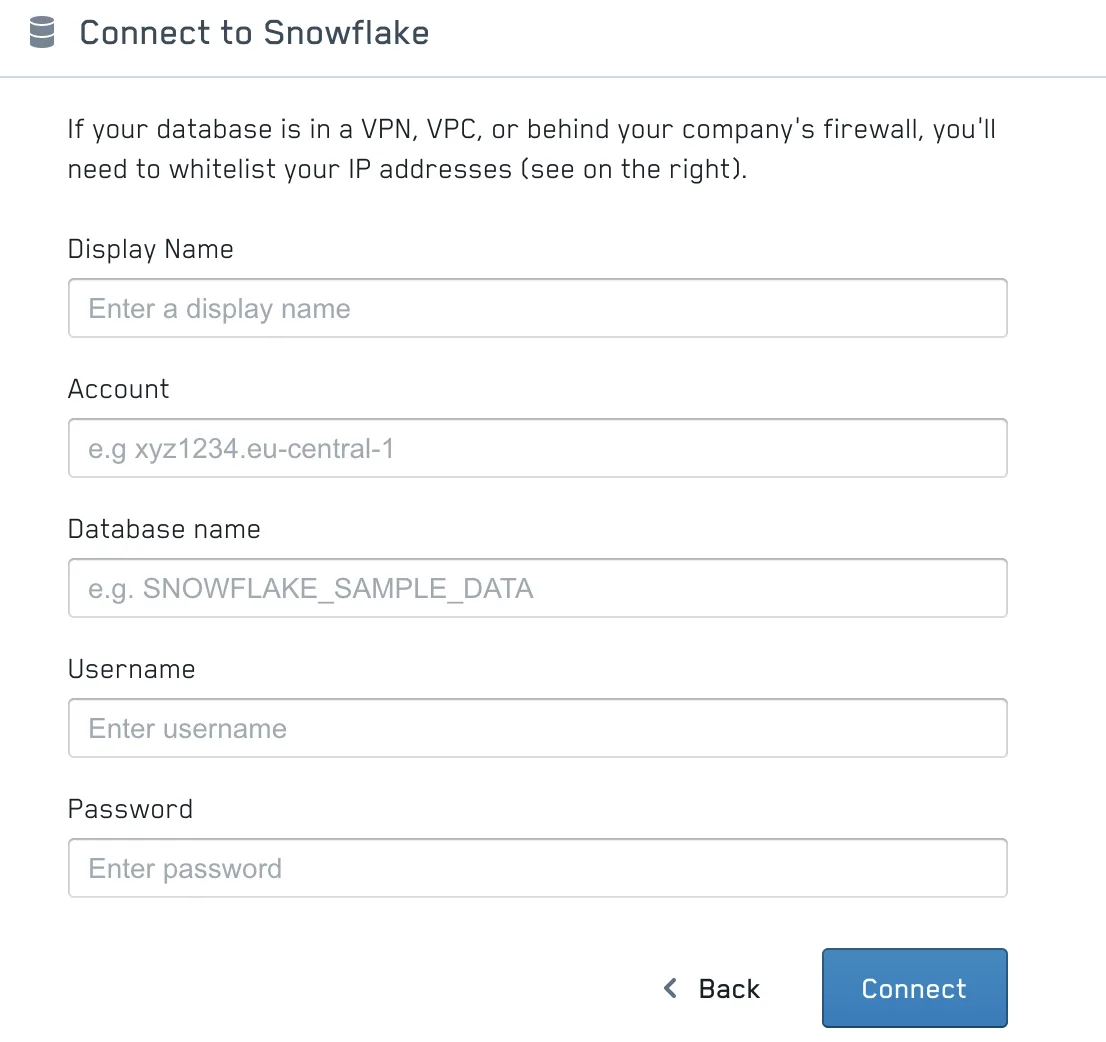
To connect to a Snowflake database the following information will be necessary:
- Display name: A name of your choice to identify the database.
- Account: The account name is a combination of account id and datacenter id separated by a dot. It is also the subdomain of your Snowflake connection:

- Database name:The name of your database as defined in Snowflake.
- Schema name : (optional) The name of the database schema you want to connect to.
- Authentication: Choose how PushMetrics authenticates with Snowflake — either Basic Auth (username & password) or Key Pair (recommended, see below).
Authentication
PushMetrics supports two ways to authenticate with Snowflake:
Basic Auth (username & password)
Provide a Username and Password for a Snowflake user with permission to query the database.
Note: Snowflake is phasing out single-factor password authentication for programmatic / service users. If you connect with a service account, we recommend using Key Pair authentication instead.
Key Pair
Key-pair authentication uses an RSA public/private key instead of a password. This is the recommended method for service accounts and is required once password sign-in is disabled on the Snowflake side.
To set it up, select Key Pair from the Authentication dropdown, then provide:
- Username: The Snowflake user the key pair is assigned to.
- Private Key: Paste the full private key text, including the
-----BEGIN ... PRIVATE KEY-----and-----END ... PRIVATE KEY-----header and footer lines. Both encrypted and unencrypted PEM keys are supported. - Private Key Passphrase: (optional) The passphrase protecting the private key. Leave empty if the key is not encrypted.
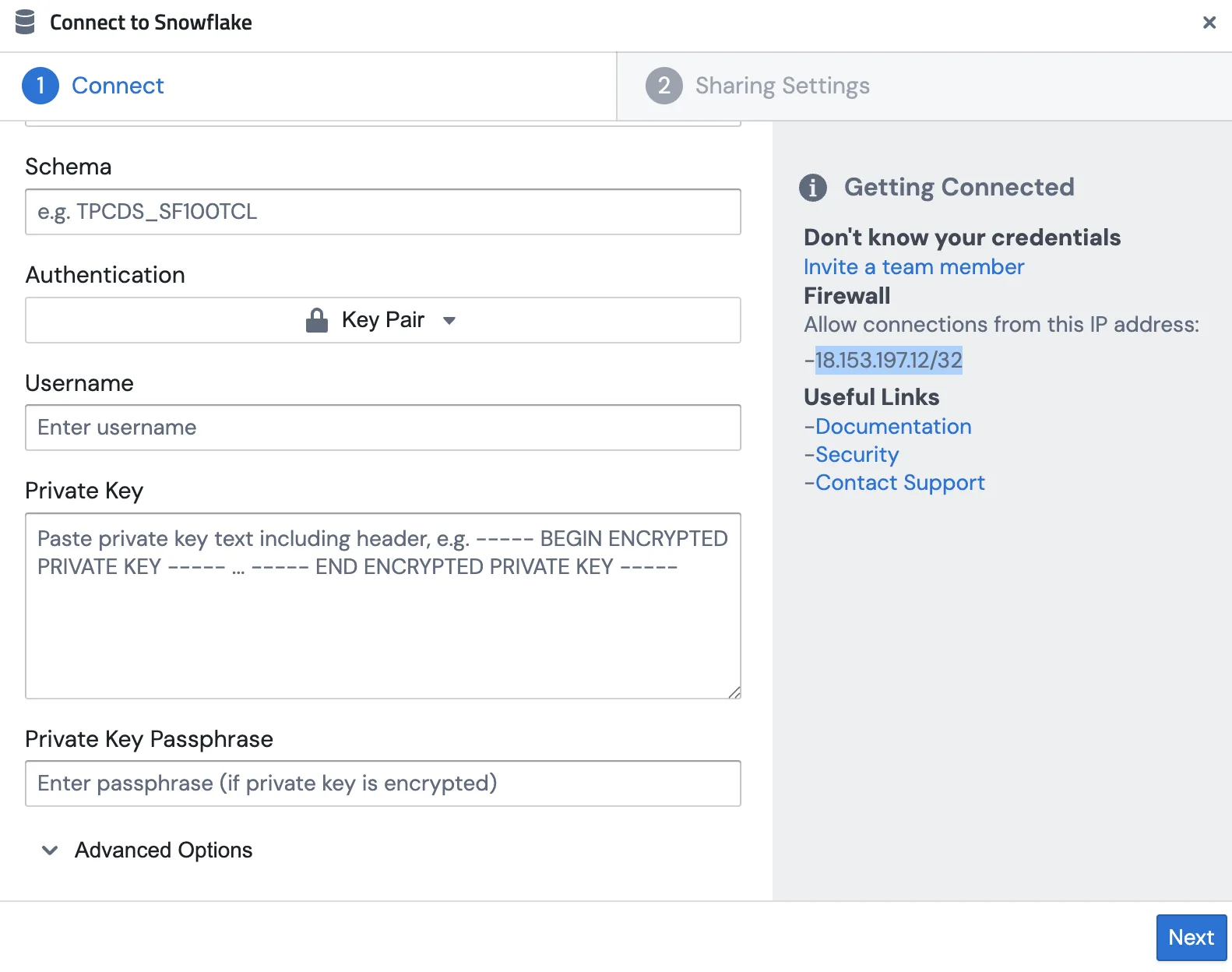
The matching public key must be registered on the Snowflake user — see Snowflake's guide on key-pair authentication for how to generate the key pair and assign the public key with ALTER USER ... SET RSA_PUBLIC_KEY. Your private key is stored encrypted at rest and is only used to establish the connection.
As for all database systems, the following two IPs might need to be whitelisted:
- 18.156.113.81/32
Related Documentation: