In PushMetrics you can easily schedule the execution of a notebook at any interval.
Creating a New Schedule
Simply click on the Schedule button in the top navigation of a notebook:
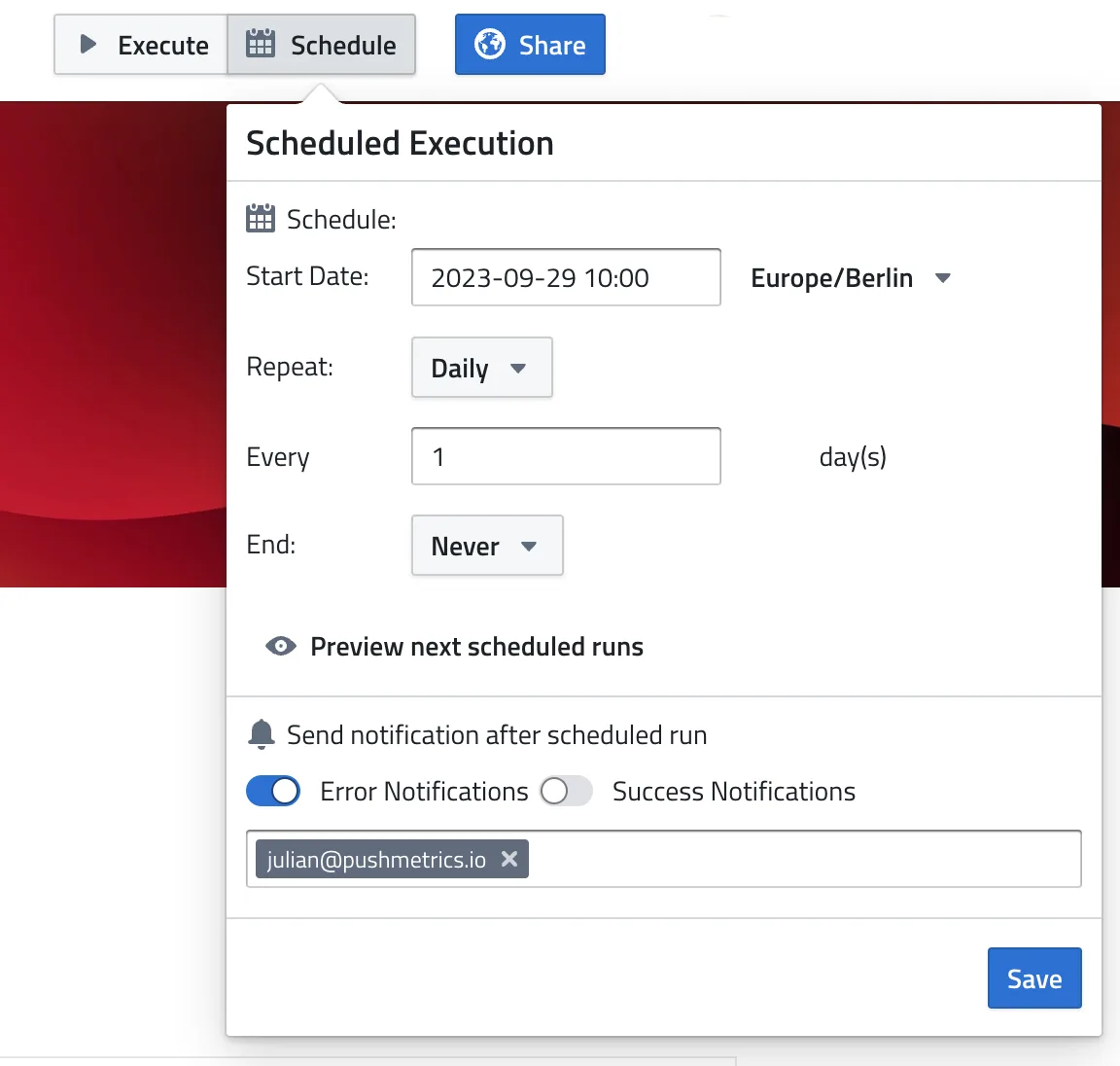
Scheduling the execution of a notebook
In the menu, you have ther following options:
Schedule
You can define flexible recurrences for your schedule.
- First, select the start date & time.
This defines the first time the schedule will be run. The start time also defines at what time of day all concurrent runs will happen. Must be a time in the future. - Timezone: Defines the timezone in which the schedule will be calculated.
- Second, select a recurrence pattern. This defines when consecutive executions after the start date should happen. You can define basically anything from hourly to annually
- Define how long the schedule should stay active. By default, it is set to end
never, but you can also let it end on a specific date or after a specific number of occurrences.
Notifications
Under Send notification after scheduled run you can specify if notifications should be sent for failed and/or successful runs of the schedule:
- Error Notifications — get alerted whenever a scheduled run fails.
- Success Notifications — get a confirmation when a run completes successfully.
Notifications can go to any email address (Email Recipients) and/or to a Slack channel (Slack Recipients — requires the Slack integration).
These notifications cover failed and successful runs. If a report uses a Condition Check, you can additionally be notified when the check stops a run from sending — that's configured in the Condition Check section of the report itself.
Managing Existing Schedules
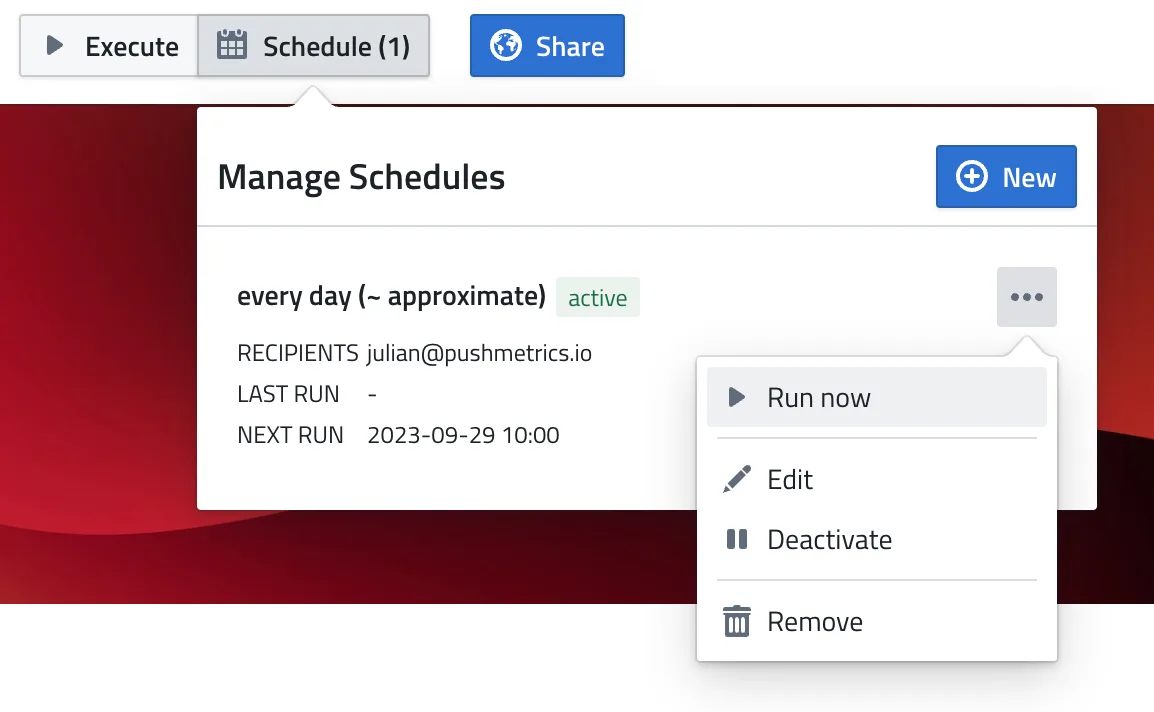
Newly created schedules will be set to active by default but you can pause them at any time, change them, remove them, or trigger a manual run.
You can do this either on the Notebook itself:
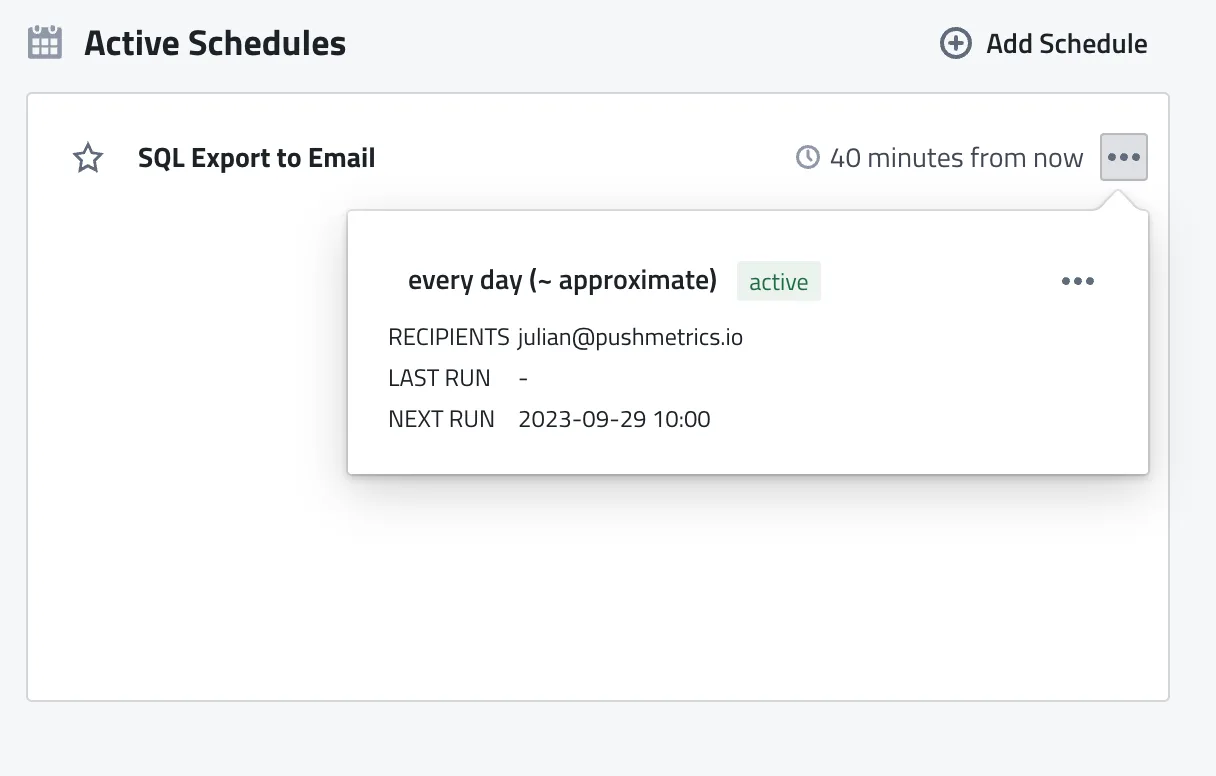
Or you can manage all your active schedules from the Homescreen: