Connecting to Amazon Athena
To connect to Amazon Athena the following information will be necessary:
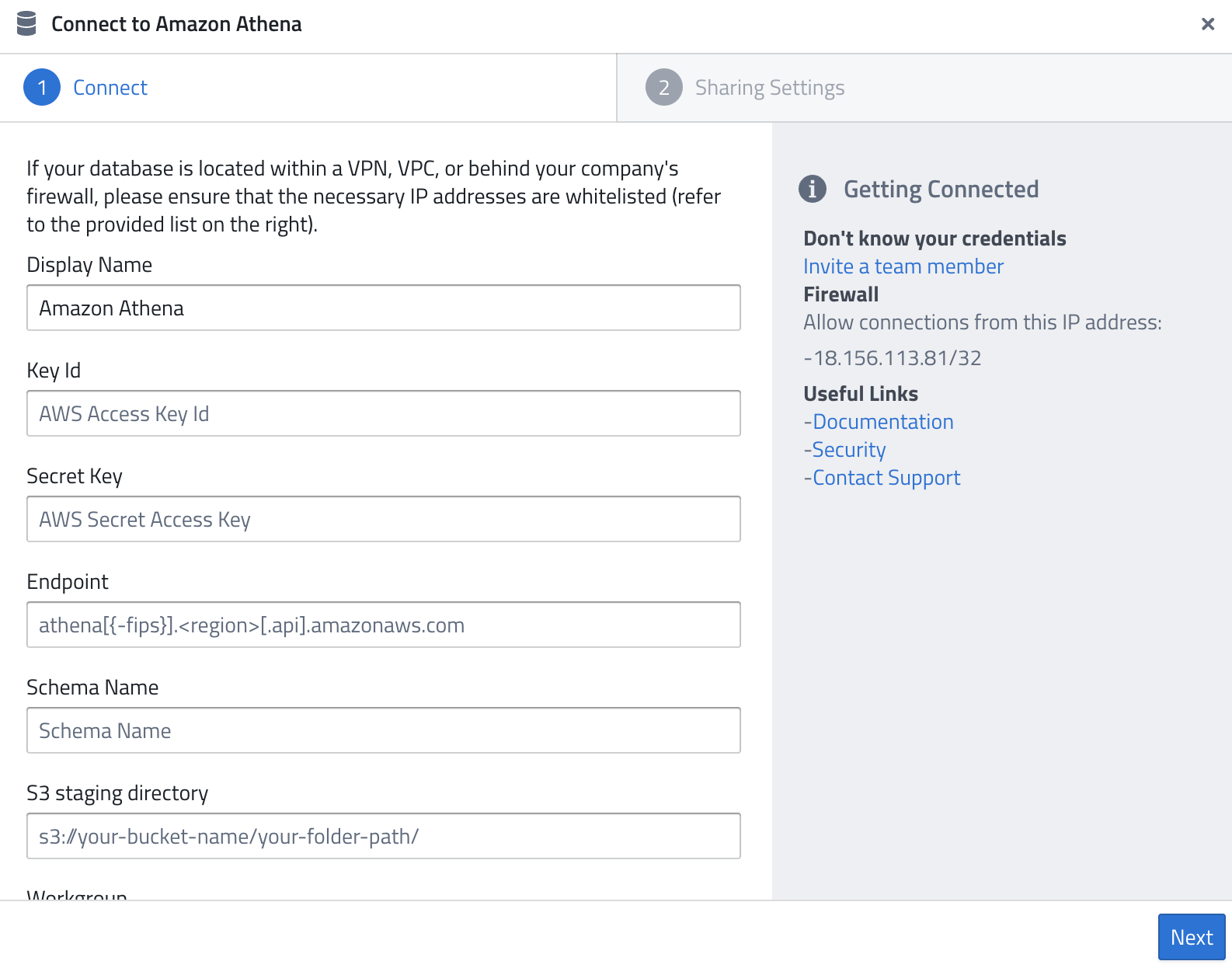
- Display Name — A name of your choice to identify the connection.
- Key Id — Your AWS Access Key ID with permissions to run Athena queries.
- Secret Key — The corresponding AWS Secret Access Key.
- Endpoint — The Athena endpoint for your region, e.g.
athena.eu-central-1.amazonaws.com. Useathena-fips.<region>.amazonaws.comfor FIPS-compliant endpoints. - Schema Name — The Athena database (schema) you want to query.
- S3 staging directory — The S3 path where Athena stores query results, e.g.
s3://your-bucket-name/your-folder-path/. - Workgroup — (optional) The Athena workgroup to use. If left empty, the default
primaryworkgroup is used.
AWS Permissions
The IAM user or role associated with the provided credentials needs the following permissions:
athena:StartQueryExecutionathena:GetQueryExecutionathena:GetQueryResultss3:GetObject,s3:PutObject,s3:ListBucketon the S3 staging directoryglue:GetTable,glue:GetDatabase(if using the AWS Glue Data Catalog)
The simplest option is to attach the AmazonAthenaFullAccess managed policy to the IAM user.
Firewall
As for all database systems, the following IP might need to be whitelisted:
18.156.113.81/32
Related Documentation: