Workspaces are unique instances of PushMetrics. Each workspace has its own set of notebooks, reports, database connections, integrations, and users.
A workspace is automatically created when you first create your account.
Key Concepts
- One workspace per account by default — a workspace is created automatically when you sign up.
- Multiple workspace membership — a user can be part of multiple workspaces and switch between them freely.
- Separate data — each workspace has its own database connections, integrations, notebooks, reports, and users. Data is not shared between workspaces.
Joining Another Workspace
To join an existing workspace, ask an admin of that workspace to invite you using the same email address as your existing PushMetrics account. Once invited, the new workspace will appear in your workspace switcher and you can access it with your existing login.
You do not need to create a new account — access is added to your existing account automatically.
Switching Between Workspaces
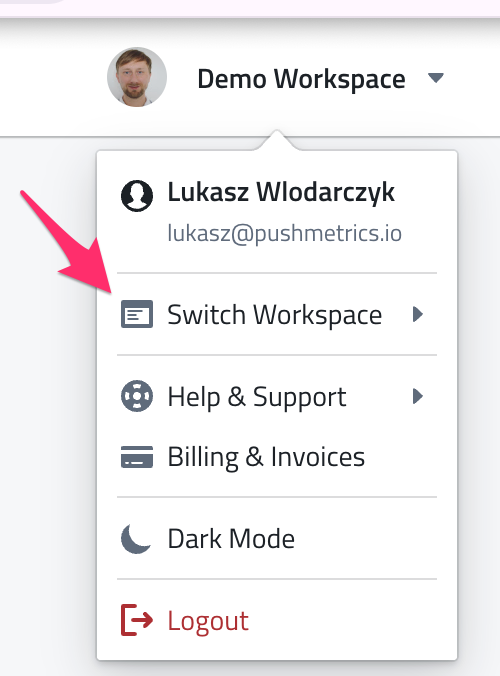
If you are a member of multiple workspaces, you can switch between them using the workspace switcher in the top navigation. Select the workspace you want to work in, and PushMetrics will load that workspace's content.
Workspace Settings
Workspace admins can manage the following settings:
- Workspace name — update the display name of the workspace.
- User management — invite, remove, and manage user roles. See User Management for details.
- Database connections — configure database connections available to all users in the workspace. See Connecting to Databases.
- Integrations — set up Slack, SMTP, Google Drive, and other integrations for the workspace.
- Billing — manage your subscription and billing details. See Billing.
Creating Additional Workspaces
If you need a separate workspace (e.g., for a different team or project), please contact us to set one up.